Anúncios
Your home is getting smarter in small, useful ways. Quiet upgrades now matter more than flashy gadgets. These changes make your days smoother and give you back the time you use on small chores.
You’ll find this roundup organized room by room — entry, living room, kitchen, bedroom, and office — so you can jump to what matters to you. Each pick is a commonly recommended category, tested or widely praised, with quick reasons it earns a spot.
Many of these devices pair with a phone app and link to voice assistants, which is a big reason they stick. They move from novelty to background helpers that cut friction, save minutes, and improve daily life.
Expect clear notes on cost and subscription options so you can buy without surprises. By the end, you’ll see why more people treat these items as true household tech essentials instead of one-off splurges.
Why these devices are becoming everyday “can’t-live-without” home upgrades
The best upgrades are the ones you barely notice—until they save you time, free up space, or put more money back in your wallet.
What “essential” means now: saving time, space, and money
In 2026, a device earns the label when it reduces chores, stops wasted power, or makes a room easier to manage. A smart thermostat, for example, can cut energy use by about 10% when you use schedules and sensors.
The big shift: app control, scheduling, and voice assistants
An app turns one-off tricks into daily routines you actually keep. Scheduling automates tasks and the voice assistant acts like a shortcut layer for lights, locks, and plugs.
“Automation turns good ideas into habits you never have to remember.”
Compatibility basics: Matter, Thread, Zigbee, and Wi‑Fi
Compatibility is the make-or-break factor. If a device won’t join your system, it just sits in a box.
- Matter — a common language that improves cross-brand work.
- Thread — a low-power mesh network for reliable connections.
- Zigbee — a long-used mesh standard many hubs still support.
- Wi‑Fi — easy for cameras and high-bandwidth devices.
The Aqara Camera Hub G5 Pro is a good example: it doubles as a camera and hub and supports Matter, Thread, and Zigbee, so it can join multiple brands and service layers with less fuss.
Practical checklist: pick your platform first, then add devices room by room so everything works together.
How to choose household tech essentials that actually fit your home
Begin with the ecosystem you want—this single choice keeps devices working together. Pick Amazon Alexa, Google, or Apple HomeKit first so new gear joins one app and one set of routines.
Platform and control
Your phone often becomes the default remote, but keep physical backups like keys, keypad codes, or manual switches for fast access.
Subscription realities
Cloud video and AI alerts often live behind monthly plans. For example, Arlo devices may require a subscription to unlock cloud storage and advanced detection. That changes long-term price.
Power, placement, and storage
Decide wired versus battery by room: outdoor and entry cams usually need constant power, while closet or shelf monitors can run on battery with shorter battery life.
Choose local-first if privacy or no monthly fee matters (some Eufy models offer local storage). Choose cloud if you want easy sharing and offsite backup.
Where price really matters
Higher price often buys better sensors, wider views, more reliable alerts, and deeper integrations with amazon alexa or HomeKit.
“Platform → power → storage → subscription → budget.”
Front entry upgrades that make your home feel instantly smarter
Your front door is the highest-impact place to start. A few well-chosen devices improve security and convenience the moment you walk up. You notice the benefits right away: fewer missed packages, faster entry, and smarter alerts.
Outdoor security camera hub
The Aqara Camera Hub G5 Pro doubles as a sharp outdoor camera and a hub that supports Matter, Thread, and Zigbee. It offers weather resistance, color night vision, and AI motion detection so you get fewer false alerts and clearer identification.
Video doorbell for deliveries and porch security
The Arlo Video Doorbell delivers HD/2K video with a 180° diagonal view. Use it wired or wireless and speak to visitors with voice control from your phone. It’s both convenience and protection for daily life at your doorstep.
Smart lock convenience
Pick a smart lock like the Ultraloq Bolt Fingerprint for quick, reliable entry. You can unlock with a fingerprint, keypad, app, voice, or a physical key. It adds speed and backup options so your system never leaves you stranded.
Optional privacy flex
For a modern touch, a smart glass entry door switches between opaque and clear by button or voice. It keeps daylight while giving you privacy on demand—an elegant option that replaces curtains without losing style.
- Quick placement tips: mount cameras at eye level, angle the doorbell to cover the porch, and confirm strong Wi‑Fi where devices sit.
- These small choices make your entry smarter from day one.
Smart home security systems for real peace of mind
You’ll decide quickly once you weigh professional monitoring against DIY kits. Each route trades monthly fees for convenience or lower upfront costs and control.
Professional monitoring: ADT Command
ADT Command is the premium pick if you want full-service protection. You pay more, but you get trained monitoring, fast dispatch, and a complete support package.
DIY savings: SimpliSafe Home Security
SimpliSafe is a top DIY option that avoids long contracts. A basic kit cuts initial price and you can self-monitor or add low-cost plans later to avoid giving up control.
What to look for
Focus on the right sensors first: entry sensors, motion detectors, glass-break, and optional leak sensors. Those cover most risks without overbuying.
- App experience matters: fast arming, clear alerts, and simple guest codes make security usable.
- Expandability: ensure the system accepts cameras, doorbells, sirens, and smart locks.
- Budget check: compare kit price against monthly monitoring so you can pick what saves you the most money.
“Choose a minimum viable security setup—sensors on main doors, one motion detector, and a visible camera—then expand as needed.”
Living room command centers: smart speakers and smart displays
The living room often becomes the day-to-day control hub because it’s where you relax, watch, and ask for things out loud.
Voice-first hubs: pick the assistant you already use
Smart speakers act as a voice-first control hub for lights, locks, and media. Choose based on the accounts and services you already use—amazon alexa, Google Assistant (now evolving with Gemini), or Siri—so everyone in your home talks to the same system.
Top speaker picks
Amazon Echo speakers are the go-to if you want room-filling sound and easy routine automation that ties many devices together with one command.
Nest Audio or the Nest Mini is a strong, budget-friendly option if you prefer Google’s ecosystem and want solid everyday audio without a high price.
Why a display is different
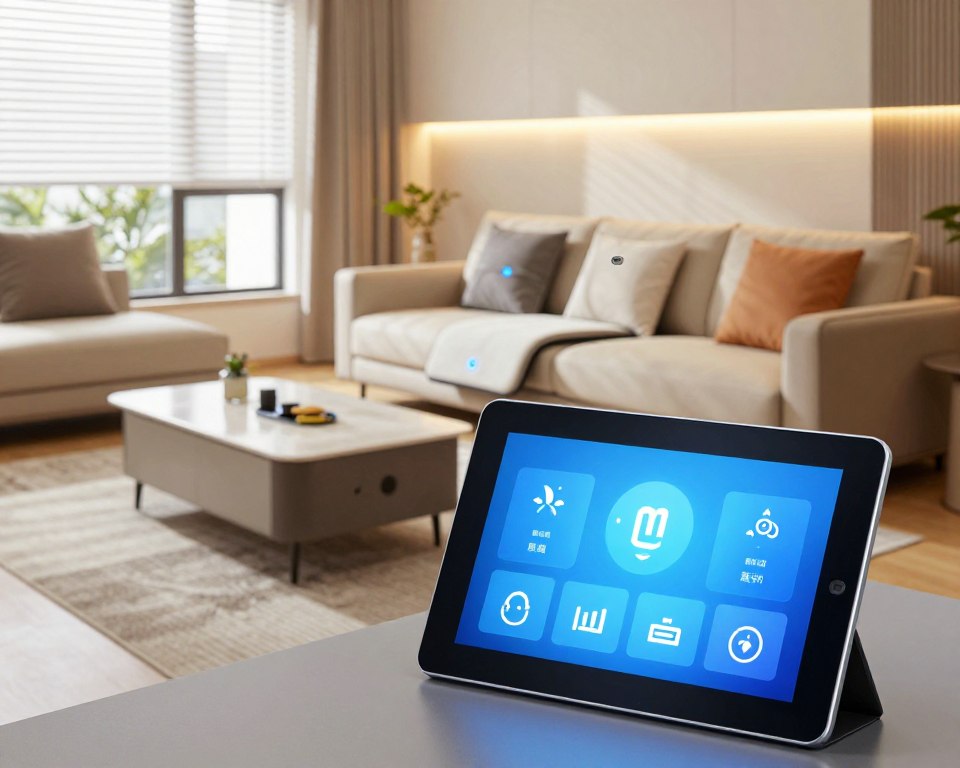
A smart display adds a screen to turn voice control into a visual dashboard. You can see camera feeds, follow recipes, start video calls, and tap controls when you don’t want to pull out your phone or open an app.
Best living-room screens and setup tips
The Echo Show 11 and Google Nest Hub Max are top picks for couch-side screens. Place a speaker centrally for best voice pickup and set the display where it’s visible from the couch but not intrusive. A small display also works great near a desk for glanceable info without reaching for your phone.
Smart lighting that changes the vibe and lowers power use
Swap a bulb and you can change a room’s mood in seconds. Smart lighting is one of the fastest upgrades you’ll notice because it adds convenience and atmosphere the same day you install it.
Easy swap: Matter-ready color bulbs
AiDot Linkind Wi‑Fi bulbs are a great, no-fuss option. They support Matter and work with Alexa, Google, HomeKit, and SmartThings. You get 16 million colors, adjustable white tones, and an app that makes setup simple.
Big-room choice: color floodlight
The GE Cync color floodlight is ideal for kitchens and entryways where one fixture must cover a wide area. Its four-quadrant color control lets you layer hues without adding multiple bulbs. Schedule it or use voice commands for instant changes.
Routines that feel magical
Set three simple routines and forget about them:
- Wake-up: warm white that brightens gradually for a gentle start.
- Movie night: dimmed colors that sync with your screen for immersion.
- Away: randomized on/off to save power and look lived-in.
Quick buying tips: check lumens, socket type, and whether you want Wi‑Fi or a hub-based option. Good bulbs last longer and use far less energy than old incandescent bulbs.
Smart thermostat upgrades that can pay you back over the year
A smarter thermostat is one of the few upgrades that can actually pay for itself within a year. Better scheduling and sensors cut wasted heating and cooling so you feel comfort and see lower bills.
Best feature set: Ecobee Smart Thermostat Premium
The Ecobee Premium shines because its remote sensor balances hot and cold spots. That feature keeps rooms even and reduces runtime, which helps you save money.
Budget option: Amazon Smart Thermostat
If you’re on a budget, the Amazon Smart Thermostat gives scheduling, reliable basics, and app control at a low price. It’s a sensible entry-level option.
Learning alternative: Nest Learning Thermostat
The Nest learns your habits, uses eco modes, and sends monthly energy reports so you can monitor usage and see real savings over time.
- Use presence and schedules: home/away and simple timers cut power without losing comfort.
- Placement: avoid direct sun or drafts; place on an interior wall at eye height.
- Compatibility: check HVAC type and C‑wire needs before you buy—some systems need an adapter.
“Monitor performance in the app for a week, then tweak schedules based on real use.”
Starter schedule: 68°F night, 71°F daytime, 64°F away. Run it for a week, monitor in the app, then adjust.
Smart plugs and power strips that make “dumb” devices feel new
Smart plugs are the fastest way to make ordinary outlets work harder for you. They instantly add scheduling and voice control to lamps, fans, and other gear without changing the item itself.
Outlet-friendly pick: TP‑Link Kasa smart plugs
TP‑Link Kasa plugs are a simple option for timers and voice commands. Use the Kasa app to set sunset schedules, holiday timers, or to turn off a space heater after bedtime.
Energy monitoring to cut waste: Kasa KP125M
The KP125M adds energy tracking so you can see which device draws the most standby power. That data helps you change habits and save money over time.
Multi-outlet control: Kasa Power Strip HS300
The HS300 gives six independently controlled outlets, ideal for a desk or entertainment center. You get flexible automations and IFTTT support without unplugging gear.
- Why it matters: app timers reduce phantom power and lower bills.
- Routine ideas: “Goodnight” cuts non-essential outlets; “Workday” powers desk gear on a schedule.
- Safety notes: check amperage, don’t overload strips, and avoid blocking outlets.
Pair these plugs with voice assistants or routines and they become small but powerful parts of your wider smart home. They convert old devices into useful, automatable tools in minutes.
Indoor cameras and pet cams that keep you connected to your space
When you want to check on kids, pets, or a tripped alarm, an indoor camera is the fastest answer. These devices give real-time views and recordings so you know what happened while you were away.
Value pick: Eufy E220 Indoor Cam
Eufy E220 is a smart value pick because it pairs vivid video with flexible storage options. It supports local and cloud storage, motion tracking, and works with major voice assistants.
Motion tracking and smarter alerts matter because they stop your phone from getting flooded with false alarms. The Eufy focuses alerts on real movement so you only act when it counts.
Pet-focused: Furbo 360
The Furbo 360 is built for pet owners. It gives barking notifications, two-way talk, and remote treat tossing to keep your dog engaged. It’s fun and functional for daily life when you’re out or in another room.
Placement, privacy, and how many to buy
Place cams to cover main sightlines: the entry path, a living-room corner, the nursery, or your office. Avoid pointing directly at private areas like bathrooms.
Decide if one camera suffices by checking sightlines and floor plan. Often a small set (2–3 cams) covers key zones without overspending.
Quick comparison checklist
- Resolution and night vision — clear images day and night.
- App reliability and notifications — fast, consistent alerts to your phone.
- Two-way audio and motion tracking — talk back and follow movement.
- Subscription needs — local-only option vs cloud features.
Simple routines to try: set an “Away mode” that records and alerts, and a “Home mode” that pauses recording for privacy.
Kitchen countertop essentials: the smart display that earns its spot
The kitchen is where hands get messy and a voice-first display stops you from touching your phone.
Best countertop size: Echo Show 8
The Amazon Echo Show 8 is the sweet spot for a busy counter. Its readable screen fits without stealing prep space. The speakers are good enough for music and clear recipe steps.
Hands-free helpers you’ll use daily
A smart display turns recipes, timers, and conversions into simple voice flows so you save time while you cook. Add items to your grocery list by voice, then open the app later when you shop.
- Step-by-step recipe walkthroughs that stay on the screen.
- Multiple timers you can name and manage hands-free.
- Quick conversions and measurement help without touching a screen.
Video, control, and placement tips
Video is a bonus: glance at the news, watch a quick clip, or check a doorbell feed while stirring a sauce. You can also control lights, plugs, and the thermostat from the same device—one simple option that keeps the whole room working together.
Placement tips: keep the display away from the sink splash zone and angle it so the counter view and main prep area are both visible.
Connected cooking appliances that streamline dinner
Modern kitchen gear can remove small, repetitive steps so dinner is less stressful and you regain time in the evening.
Dovetailing smart controls with good design makes a real difference. Some devices automate multi-step cooks, others simplify one task and do it well.
Smart oven standout
Tovala Smart Oven is the clear standout because its QR-code programs and app control run multi-step cooking without constant babysitting.
Scan a code, and the oven handles preheat, steam, and finish cycles for reliable results. Optional meal kits are available as an option; they cost more per meal but cut planning and cleanup time.
Specialty upgrades worth considering
Think about what fits how you eat. An air fryer crisps quickly for busy nights. A multicooker like the Instant Pot Pro Plus replaces several products with one unit. A Wi‑Fi nugget ice maker is a fun, targeted buy when you entertain often.
Smart coffee makers for better mornings
For coffee, pick the path that matches your routine. Hamilton Beach offers practical automation that wakes up ready brews without fuss.
Premium options like xBloom Studio aim at craft-focused flavor and more manual control for a barista-style start to your day.
“Not every appliance needs Wi‑Fi — choose the one that truly saves you time.”
Buying guidance
- Measure counter space and stackability before you buy.
- Consider cleaning effort—removable parts vs fixed trays matter.
- Test whether the app actually simplifies steps or just adds another menu to learn.
Robot vacuums and mops that give you back time
Set-and-forget floor care is one of the easiest ways to win back minutes in your week. These devices handle daily crumbs, pet hair, and light spills so you don’t have to.
Budget value: TP‑Link Tapo RV30 Max Plus (self-emptying)
Why buy: self-emptying docks cut down how often you touch the bin. This is a practical option if you want automation without a high price tag.
Premium all-in-one: Ecovacs Deebot X8 Pro Omni
Why buy: combines vacuuming and mopping with advanced mapping and fewer manual steps. It’s ideal for busy homes that want more hands-off cleaning.
Best for pet-heavy homes: iRobot Roomba j9+
Why buy: designed for stubborn fur and real-life messes. Its POOP guarantee limits gross interruptions and improves reliability for pet owners.
Mop-first option: iRobot Braava Jet m6
Why buy: choose this if you already vacuum and need better wet cleaning for kitchens and high-traffic zones.
- Practical factors: battery runtime, mapping reliability, floor compatibility, and maintenance costs will shape your experience.
- Price tiers: more money usually means better navigation, obstacle avoidance, and dock conveniences.
- Routine tip: schedule cleans while you’re out and do a quick floor prep for the best results.
Small-cleanup tech you’ll appreciate every single day
Small cleanup upgrades remove tiny annoyances that add up through the day. They are quietly useful and fast to adopt.
Touchless convenience and smarter sorting
The Simplehuman sensor trash can is a practical, touchless upgrade for your kitchen or mudroom. Its hands-free lid helps when your hands are full or messy from cooking.
Dual-compartment design makes separating trash and recycling easy without extra bins. That one-piece solution frees up floor space and looks neater than two freestanding cans.
- It reduces trips to sort waste and keeps smells contained.
- It fits into tight corners you might otherwise leave unused.
- You’ll notice the convenience every time you toss something—small wins every day.
Quick buying tips: measure the spot, confirm bag compatibility, and think about how often you want to empty each side. These checks help the device work smoothly in your home.
Bedroom tech that makes sleep and air quality noticeably better
A few well-chosen bedroom upgrades can improve the way you sleep by tomorrow. Focus on comfort, temperature, and cleaner air—those three changes reshape how you feel each morning.
Smart bed for personalized comfort
Sleep Number 360 i8 is an investment if you want adjustable firmness and targeted support. It lets you fine-tune comfort to match how you sleep, which can reduce tossing and improve deep rest.
Temperature-controlled sleep
The Eight Sleep Pod Pro Cover cools or warms targeted zones so you and a partner can each find the right temperature. Use a pre-cool schedule for hot nights and a gentle warm-up before morning.
Quiet cooling and cleaner air
GE Profile Clearview Smart Air Conditioner is a quieter option that respects nighttime noise limits and adds scheduling so it runs only when needed.
Dyson Big+Quiet Formaldehyde BP03 improves air while you sleep, circulating cleaner air and reducing wake-ups from dust or odors.
Wind-down lights and routines
The Philips Hue Iris Table Lamp creates bedtime scenes with calming colors, dimming, and gradual morning ramps. Combine a timed pre-cool, soft lights at night, and a gentle morning ramp for better sleep hygiene.
- Choose by room size, sound sensitivity, and whether you prefer an app or set-and-forget control.
- Look for features that let you automate bedtime and reduce overnight power use.
Home office and “daily carry” essentials you’ll use beyond one room
When your network and gear keep up, work feels easier no matter where you sit. Start by treating Wi‑Fi like a utility: a single strong router can fail to reach every corner, so a mesh system or a 2026 router upgrade stabilizes cameras, speakers, and every desk device.
Faster, more reliable Wi‑Fi
Pick mesh if you have multiple floors or dead zones. A mesh spreads coverage so your video calls and streaming don’t fight each other for bandwidth.
Work-from-anywhere power
For long days away from outlets, a USB‑C laptop power bank is invaluable. The Anker Prime A110A is a top pick for heavy laptops — it extends your battery life without bulky weight, so you can keep working on trains or in cafés.
Better desk ergonomics
Trackballs reduce wrist motion and help prevent repetitive strain. If you prefer a traditional feel, the Logitech M720 Triathlon gives multi‑device switching and all‑day comfort at your desk.
Add-a-screen flexibility
Portable monitors are a great mini upgrade for travel, while larger monitors stay anchored at home. Choose size, resolution, and USB‑C ports to match your workflow and reduce neck strain.
Extra storage peace of mind
Use SSDs and microSD for fast local storage, and combine them with a cloud backup option for offsite protection. That way your files survive spills, theft, or accidental deletes.
- Travel-friendly: power bank, a mini trackball or compact mouse, and a portable monitor.
- Home anchors: mesh nodes and a larger monitor remain in place for better performance.
“Treat networking as a basic utility so your calls, streaming, and smart controls never compete for a weak signal.”
Conclusion
Small, consistent upgrades add up to big improvements in how your home runs every day.
Pick the changes that remove friction, not the flash. Start room by room with high-impact options: entry security, smart lighting, and a central speaker or display. These bring immediate gains and feel useful each day.
Put platform first so your devices pair with one app and one voice system. Factor total cost, including subscriptions for camera video or AI alerts, before you buy.
Next steps: choose your system, check Wi‑Fi coverage, pick local vs cloud storage, then add devices that match your routine. Over time, small upgrades deliver a lot more convenience and control.